Guided tutorial

Tour the operator workflow from sign-in to feed review.

This tutorial follows the real private console path. It covers local evaluation first, then explains what changes when a deployment owner runs the same workflow on a self-hosted reference instance.

Step-By-Step Tour

1. Local sign-in

Start without token handling

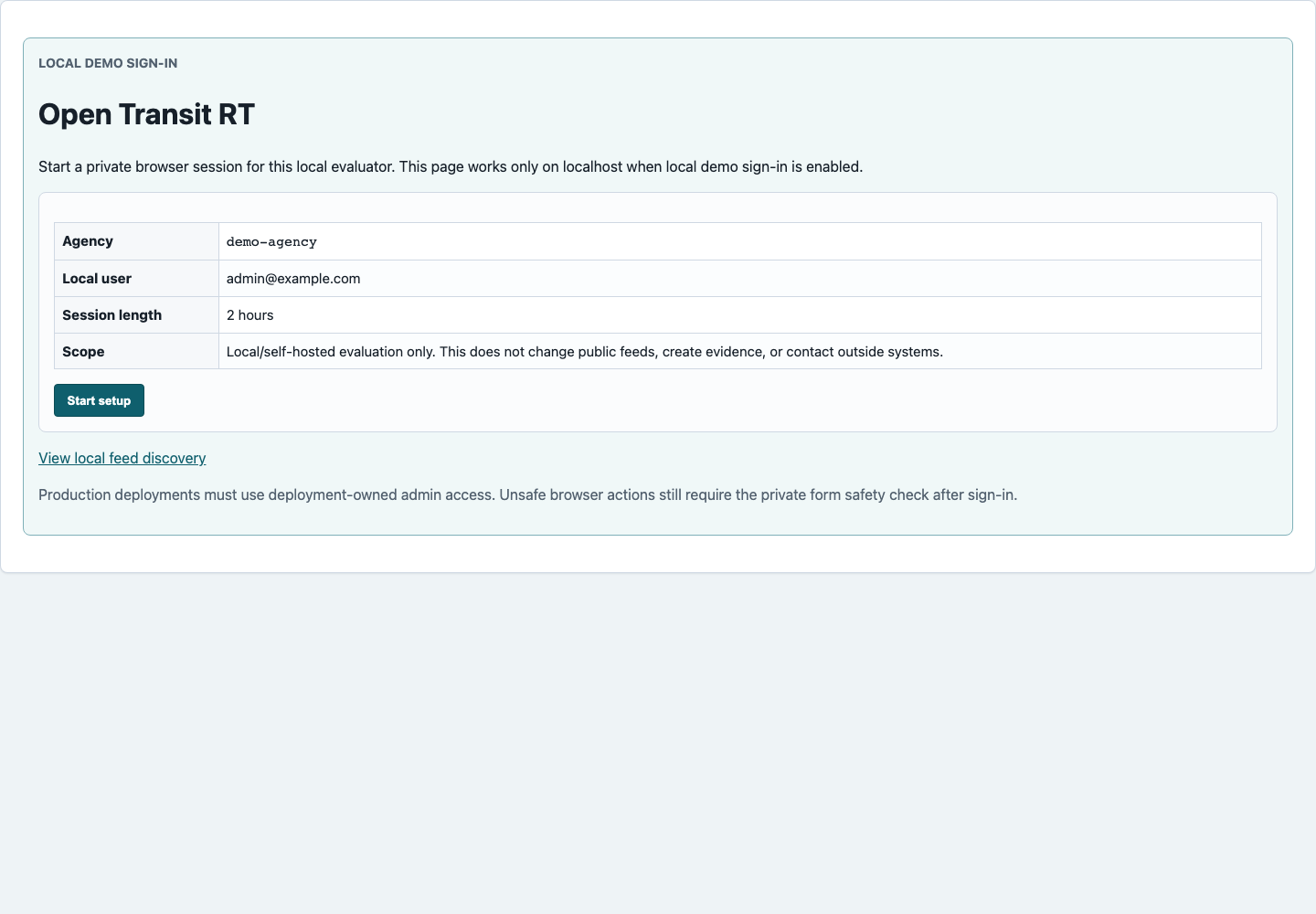
For local evaluation, an administrator starts the app and staff open /admin/local-login. Choosing Start setup opens a private browser session for the Operations Console.

Self-hosted difference: production access is deployment-owned. The local sign-in shortcut is for local/demo operation only.

Local sign-in page with Start setup button
Local/demo sign-in keeps normal review out of token and cookie setup.

2. Start page

Pick the first blocked action

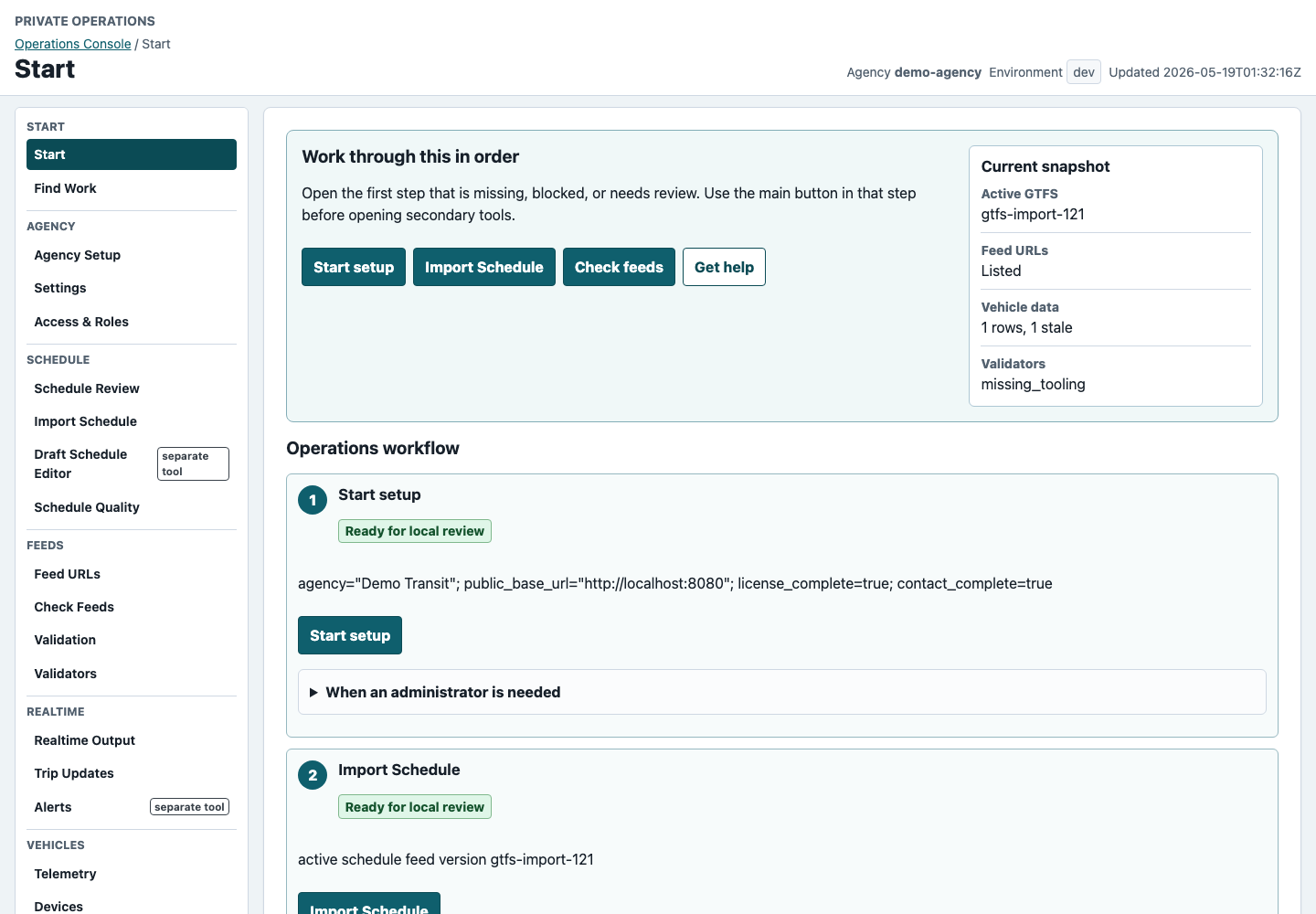
The Start page shows the current product state and the ordered workflow: setup, schedule import, feed URLs, vehicle data, realtime review, issue fixing, maintenance, and authorized sharing preparation.

Self-hosted difference: the same page should reflect deployment-owned public base URLs and server-side service state.

Operations Console Start page with ordered workflow
The operator path starts with the action queue, not a route list.

3. Set up agency

Fill in agency settings first

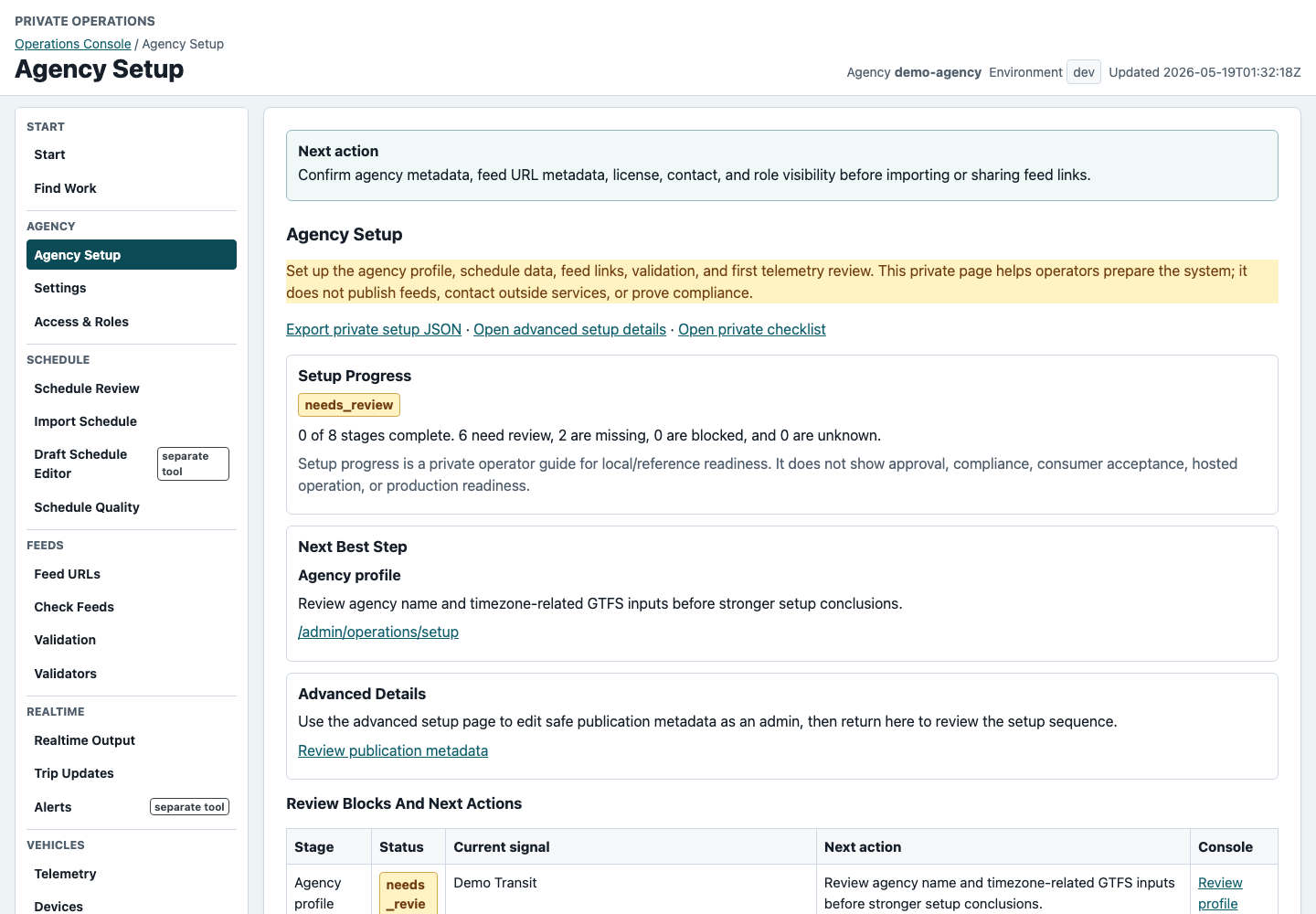
Agency Setup keeps profile, public feed metadata, contact, license, schedule, vehicle data, validation, and maintenance ownership in one browser-first checklist.

Self-hosted difference: deployment owners should replace local placeholders with the reference deployment hostname, monitored contact, and owner assignments before sharing URLs.

Agency Setup page with deployment and operations checklist
Setup makes ownership visible before schedule or realtime work moves forward.

4. Import a schedule

Confirm the active GTFS feed

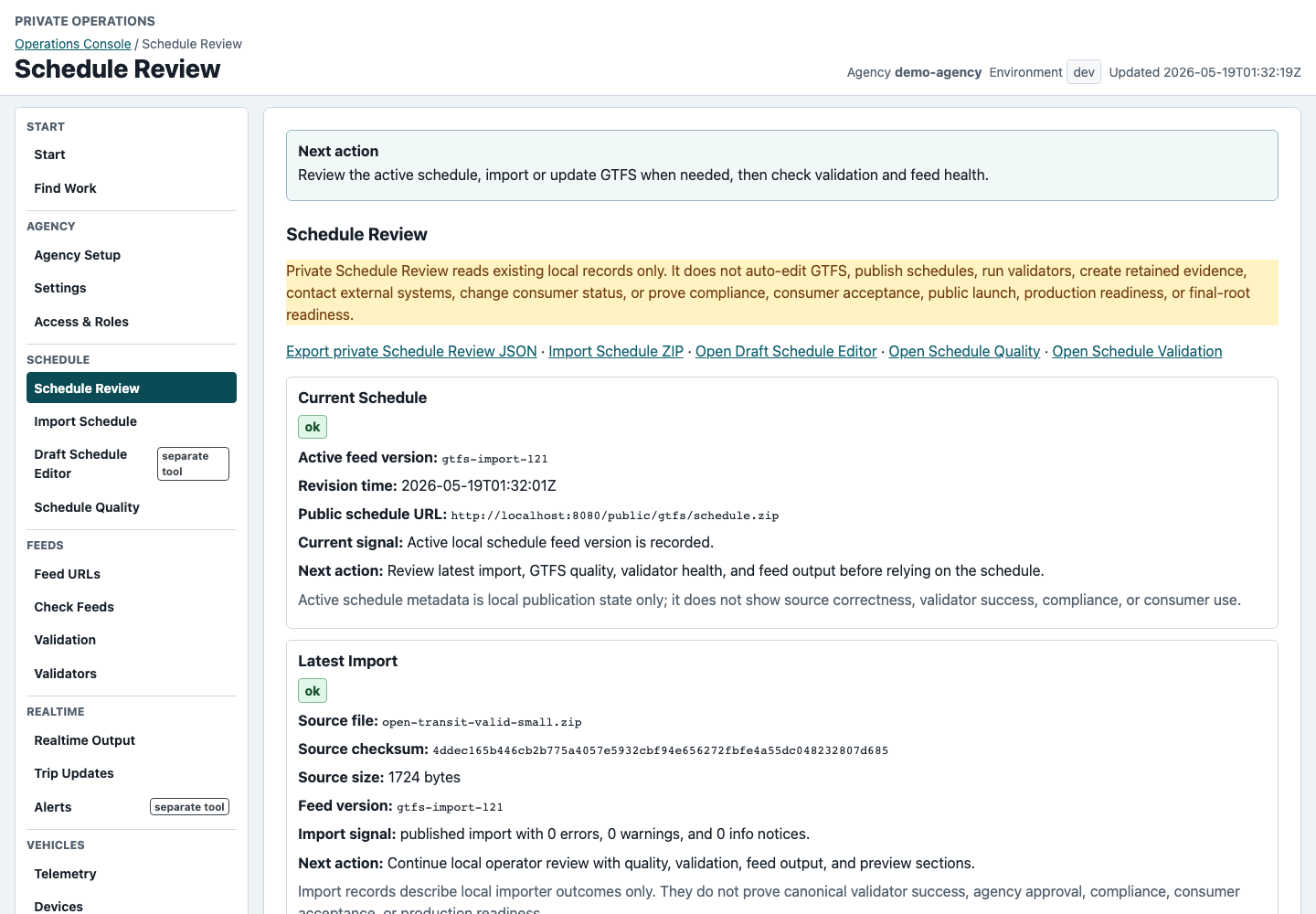
Use Import Schedule or Schedule Review to load a schedule, confirm required files, review import history, and understand validation guidance before checking public feed URLs.

Self-hosted difference: the deployment owner must decide which source schedule is allowed for the hosted environment.

Schedule Review page showing active schedule review
Schedule review comes before realtime confidence or external sharing.

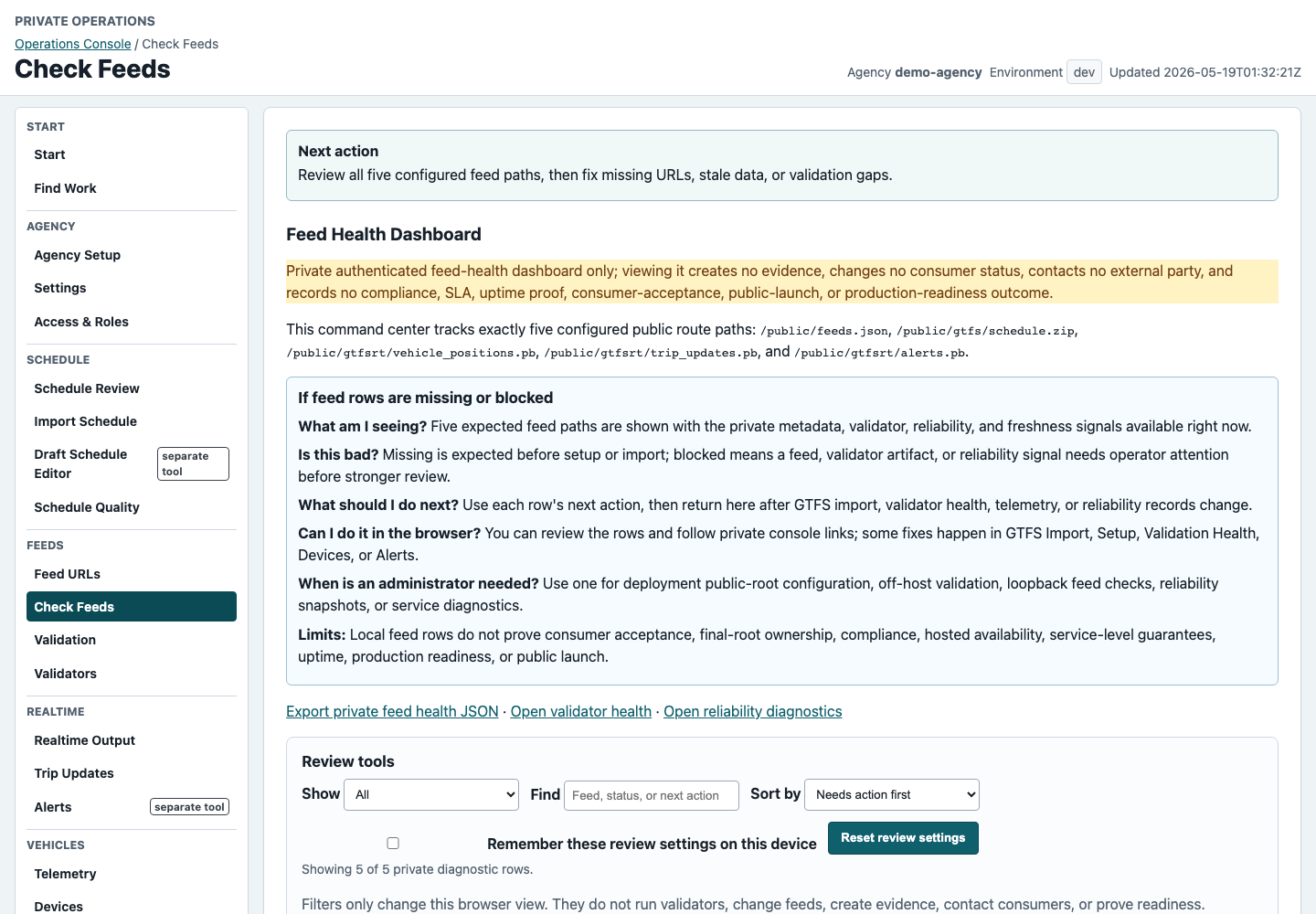
5. Check feed URLs

Review all five public paths

Feed Health shows discovery, static GTFS, Vehicle Positions, Trip Updates, and Alerts. Missing or stale rows link back to the next private console action.

Self-hosted difference: public URLs should use the deployment-owned hostname and reverse proxy path.

Feed Health page showing five feed rows
The feed page answers what is available and what to fix next.

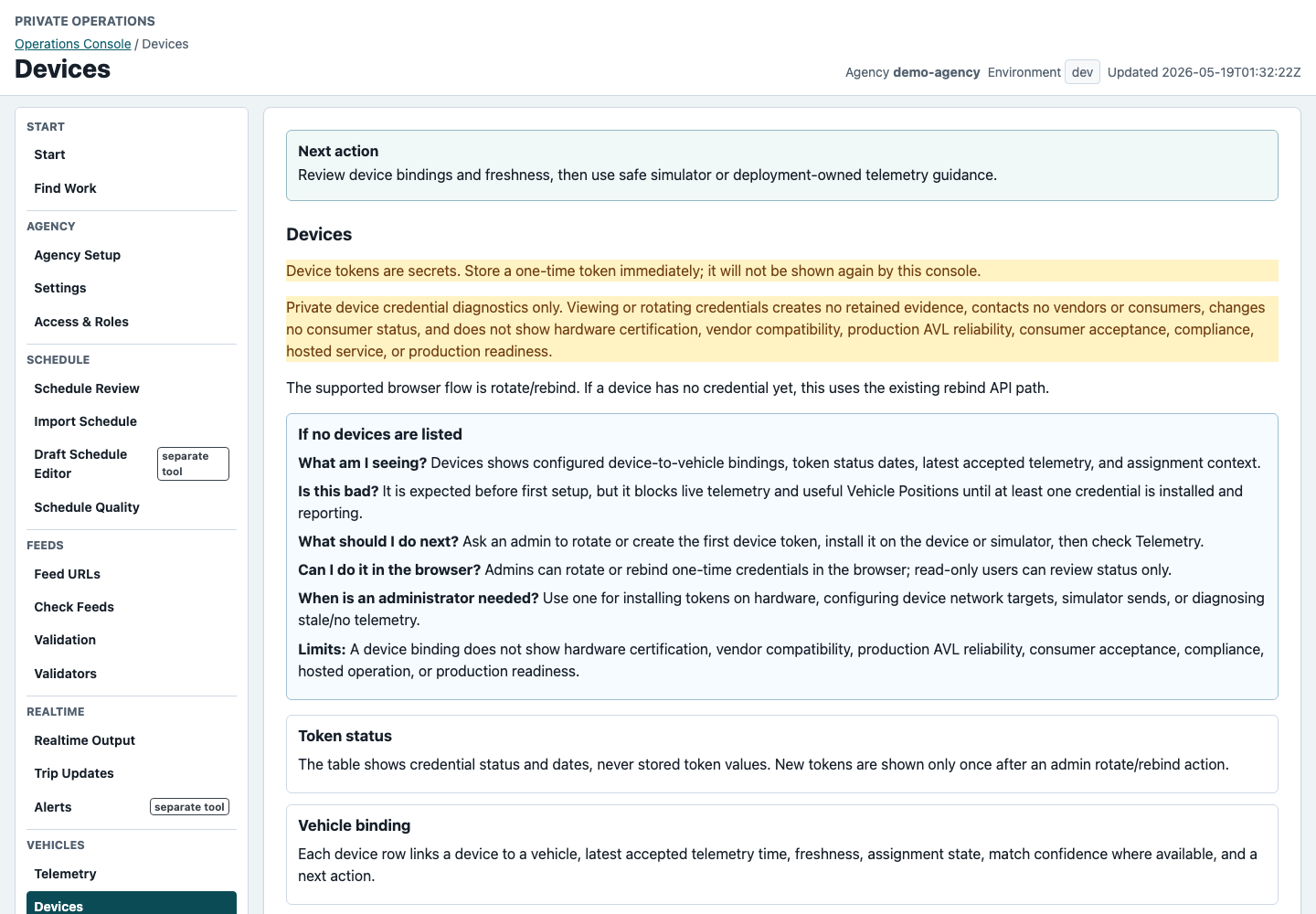
6. Connect vehicle data

Choose a safe connector path

Devices, Telemetry Freshness, Realtime, and Connectors show whether vehicles are sending fresh data and which connector category fits the deployment.

Self-hosted difference: credentials, sidecars, payload mappings, and retention rules stay under deployment-owner control.

Devices page showing token-safe vehicle data setup
Token values should not appear in public screenshots or notes.

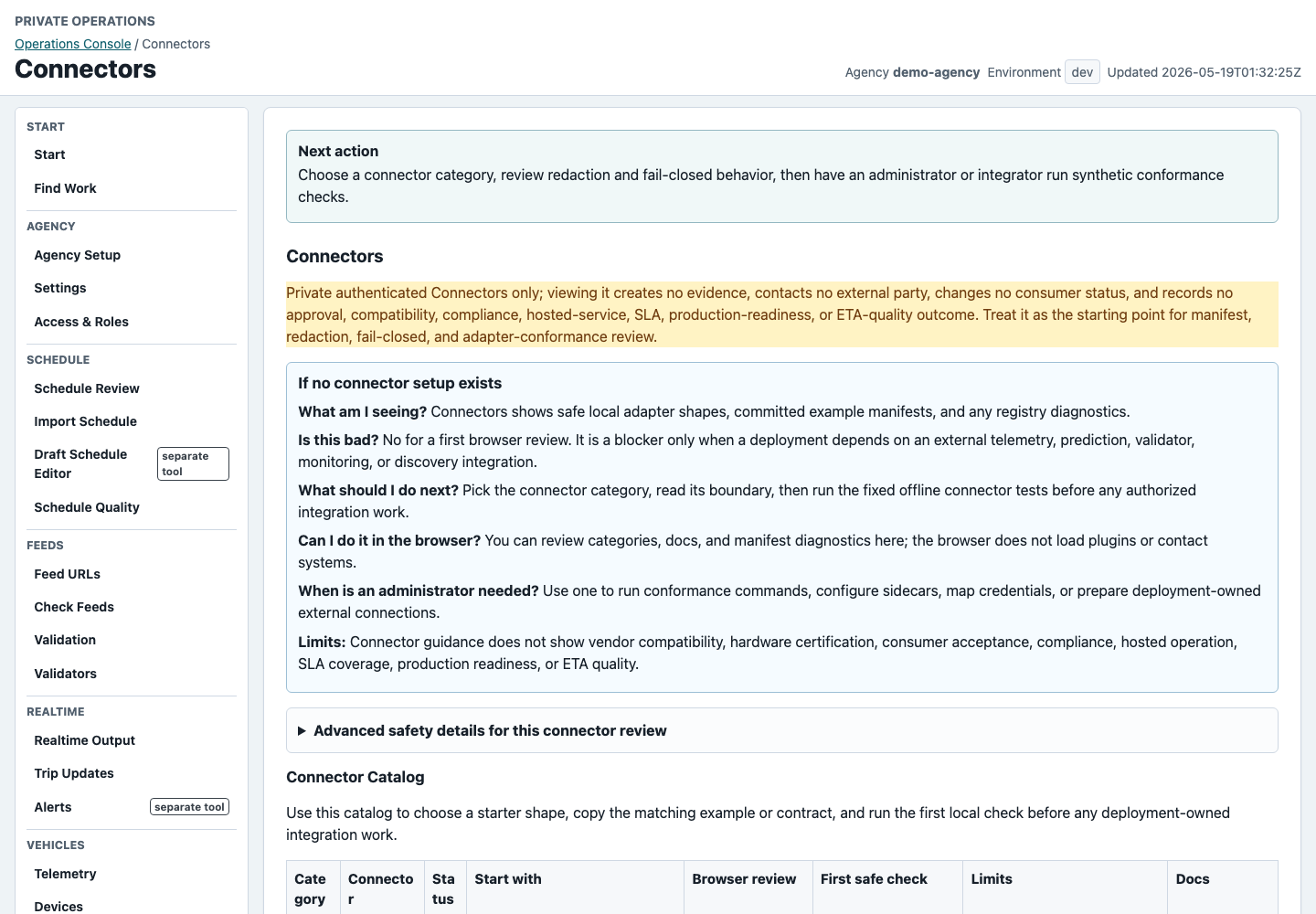
7. Review connector options

Keep integrations behind safe boundaries

Connectors shows which adapter shape fits telemetry, prediction, validation, monitoring, or discovery work before any real endpoint, credential, or vendor payload is introduced.

Self-hosted difference: a deployment owner controls sidecars, secrets, payload mapping, and network sends.

Connectors page with safe integration categories
Connector review starts with local and synthetic contracts.

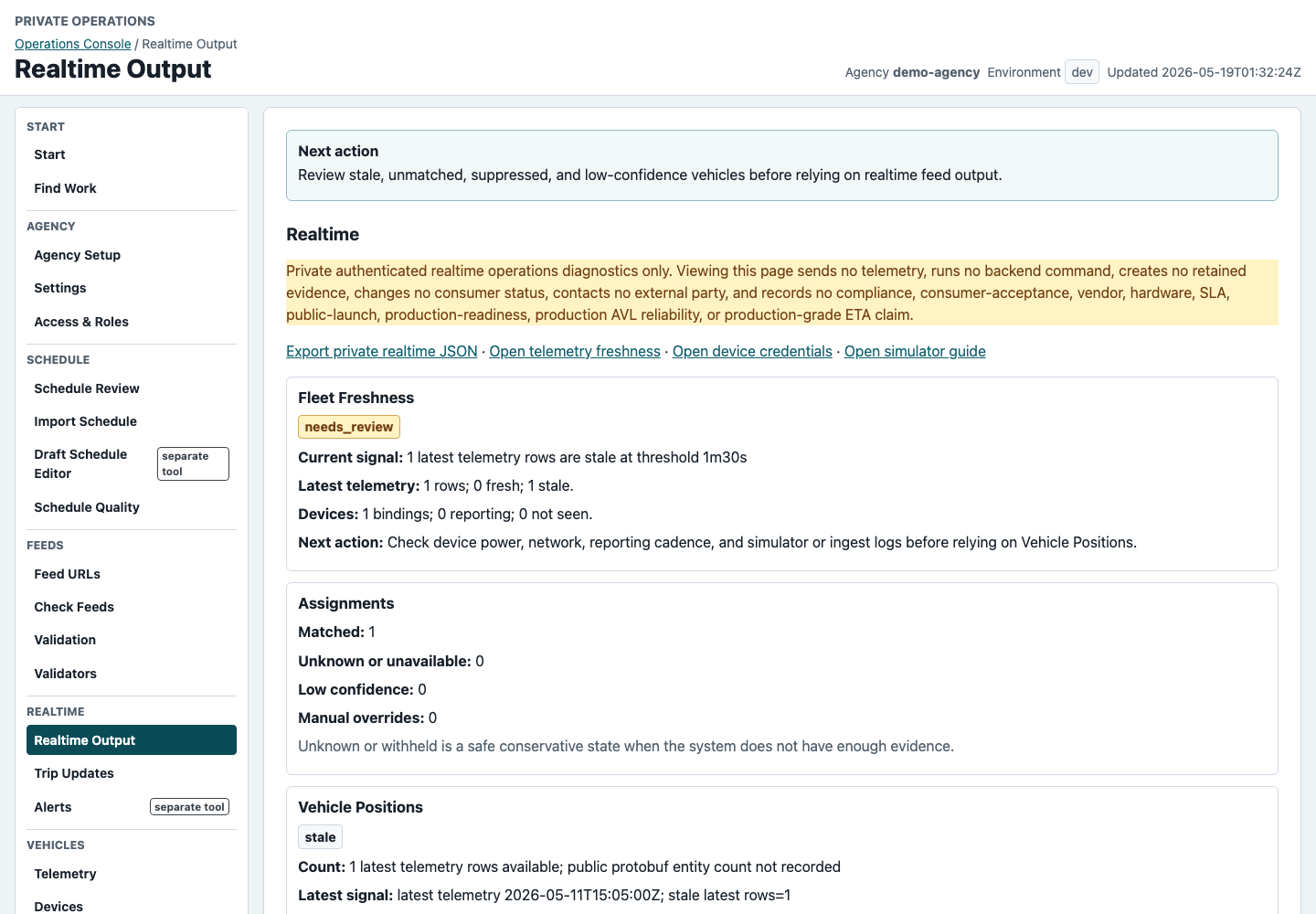
8. Review realtime output

Prefer unknown over false certainty

Realtime review separates fresh vehicles, stale rows, unmatched vehicles, Vehicle Positions, Trip Updates diagnostics, and Alerts lifecycle status.

Self-hosted difference: production-like checks still need deployment-specific validator and monitoring review.

Realtime page with telemetry and feed status
Conservative matching should be visible before people trust realtime output.

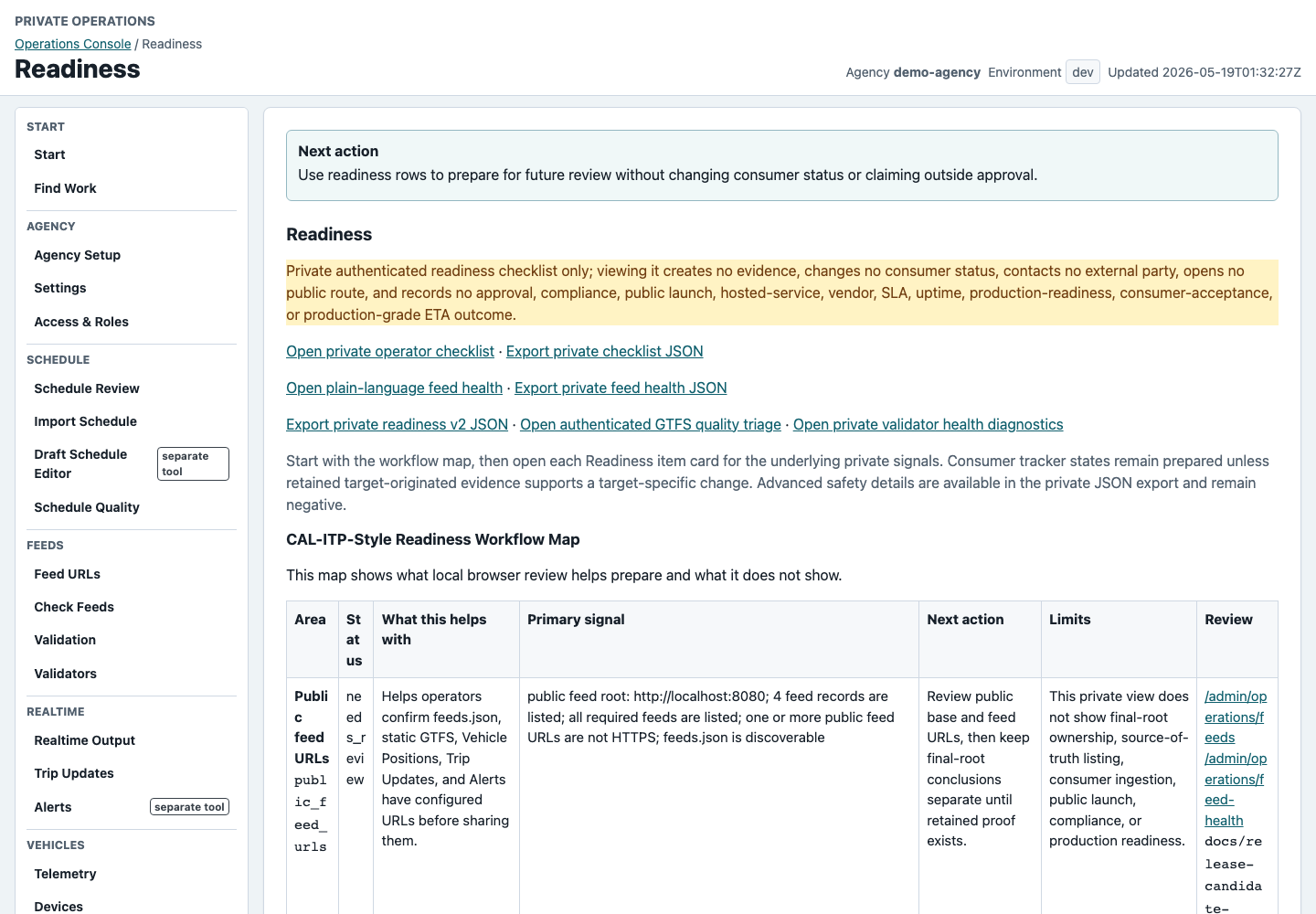
9. Review readiness

Separate preparation from outside approval

Readiness shows remaining gaps across metadata, schedule, feed health, validators, telemetry, realtime output, maintenance, and future sharing preparation.

Self-hosted difference: readiness should use deployment-owned base URLs and local/reference diagnostics without changing consumer statuses.

Readiness page with operator issue and preparation rows
Readiness is a private work list, not an outside claim.

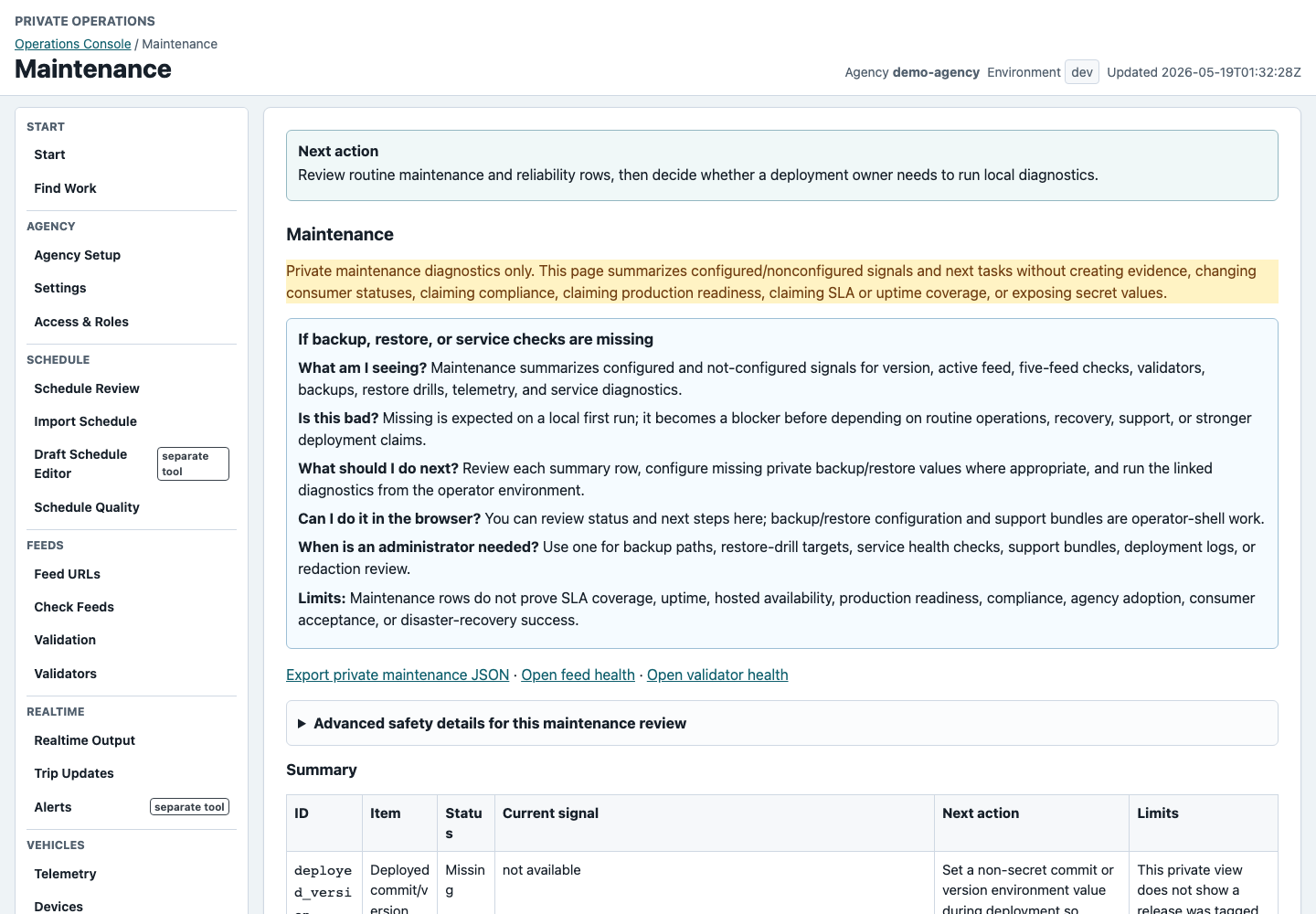
10. Maintain the deployment

Keep operations work assigned

Maintenance and Help show routine checks, owner responsibilities, backup and restore guidance, validator setup, support summaries, and update planning.

Self-hosted difference: these tasks become routine deployment-owner responsibilities.

Maintenance page with routine operation tasks
Maintenance work stays private and operator-controlled.

Limits

These captures are tutorial assets from local/demo UI review. They do not show private agency data, secrets, external portals, consumer submissions, vendor payloads, or proof of production readiness.